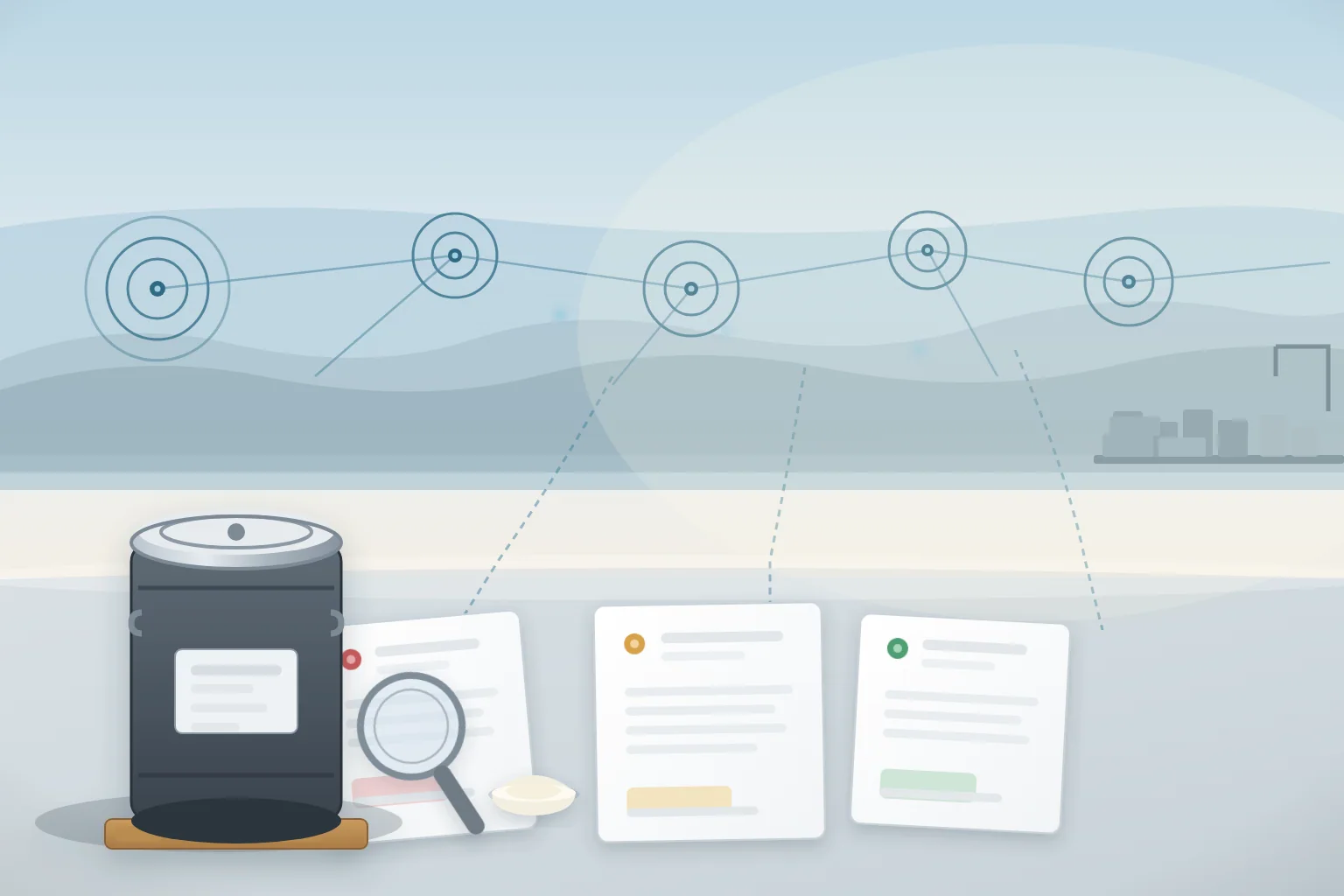
La respuesta directa para un comprador europeo de granel Fosfatidilserina es este: revisa el Sistema de Alerta Rápida de la UE para Alimentos y Piensos, conocido como RASFF, antes de aprobar un proveedor y de nuevo antes de cada pedido, y lleva un registro fechado de lo que has buscado y encontrado. La RASFF es la red europea a través de la cual las autoridades nacionales de seguridad alimentaria intercambian información sobre riesgos directos o indirectos para la salud humana derivados de alimentos y piensos, incluidos los suplementos alimentarios. La parte pública del sistema, llamada Ventana RASFF, te permite buscar información resumen sobre notificaciones desde 2020 en adelante, y un resultado limpio es una prueba más en un archivo de proveedores, no una prueba de que cada lote es seguro.
Esta guía explica qué cubre RASFF, qué significan realmente los tipos de notificaciones, cómo buscar un ingrediente de fosfatidilserina y las categorías que lo rodean, y cómo convertir los resultados en pasos prácticos de cualificación y seguimiento por parte de proveedores. Está escrito para equipos de compras y calidad, y evita deliberadamente el tratamiento o las afirmaciones de salud. La monitorización RASFF es una capa de diligencia debida que trabaja junto con la revisión de especificaciones, Revisión del Certificado de Análisis, y Pruebas de terceros, no un sustituto para ellos.
Qué es RASFF y qué cubre
La RASFF fue creada por el artículo 50 del Reglamento (CE) nº 178/2002, la Ley General de Alimentos, como una red que involucraba a los Estados miembros, la Comisión Europea y la Autoridad Europea de Seguridad Alimentaria (EFSA). Su propósito es permitir que las autoridades de seguridad alimentaria intercambien información rápidamente cuando se identifica un riesgo directo o indirecto para la salud humana en alimentos o piensos, de modo que medidas como retiradas o retiradas puedan tomarse sin demora.
Los suplementos alimentarios están dentro del alcance. En la clasificación de productos de la RASFF, los suplementos se encuentran en la categoría "alimentos dietéticos, suplementos alimentarios, alimentos fortificados", y las notificaciones en esa categoría suelen referirse a la composición, sustancias no declaradas o prohibidas, ingredientes alimentarios novedosos no autorizados, problemas de etiquetado, declaración de alérgenos, tratamiento de irradiación o contaminantes. La fosfatidilserina es un ingrediente de suplemento más que un suplemento terminado, por lo que un comprador debería buscar tanto el ingrediente en sí como la categoría de producto terminado, porque una alerta sobre la categoría puede indicar cómo las autoridades están tratando una vía de suministro o una reclamación documental.
Dos límites importan antes de empezar a buscar. Primero, el sistema completo de la RASFF está restringido a las autoridades, así que no verás la señal en bruto. En segundo lugar, la ventana pública del RASFF omite intencionadamente detalles comerciales como marcas y operadores empresariales, y actualmente cubre notificaciones desde 2020 en adelante. Puedes identificar un producto, peligro, país de origen, estado de distribución y las medidas tomadas, pero no qué empresa vendió el producto. Por tanto, una búsqueda limpia es una prueba útil, y una entrada relacionada es un desencadenante para preguntas, pero ninguna sustituye documentos de tu proveedor específico.
El marco legal detrás de la herramienta de búsqueda
Las normas de notificación que ves en la ventana RASFF provienen del Reglamento de Ejecución de la Comisión (UE) 2019/1715, que establece el funcionamiento del Sistema de Gestión de la Información para Controles Oficiales (IMSOC) y sus componentes del sistema, incluido el sistema electrónico que implementa la RASFF conocido como iRASFF. El reglamento, que se aplica desde el 14 de diciembre de 2019, define los tipos de notificaciones utilizadas en el sistema: notificaciones de alerta, notificaciones de información, notificaciones de noticias, notificaciones de rechazo fronterizo, notificaciones de fraude alimentario, notificaciones de seguimiento y notificaciones de incumplimiento. Comprender estas categorías es la diferencia entre una búsqueda útil y una engañosa, porque el mismo producto puede aparecer en diferentes carriles dependiendo de dónde se haya encontrado y de la gravedad del riesgo.
| Tipo de notificación | Qué significa | Lo que suele señalar para un comprador |
|---|---|---|
| Alerta | Un riesgo serio que requiere acción rápida; El producto puede estar ya en el mercado y necesitar retirarse o retirarse | Revisa tus acciones y órdenes inmediatamente; Solicitar pruebas de acción correctiva |
| Información para llamar la atención | Un riesgo cuando el producto no está en el mercado del país notificante, o no se requiere una acción inmediata allí | Revisa si la fuente o la ruta de riesgo afecta a tu suministro; Archivo con una nota |
| Información para seguimiento | Un riesgo que otros miembros de la red deben seguir | Pregunta al proveedor por su respuesta y cualquier resultado de nuevas pruebas |
| Rechazo en la frontera | Un envío denegado a la entrada en un puesto fronterizo de la UE por un riesgo directo o indirecto | Confirma el historial de exportación y el programa de pruebas de tu proveedor para el mismo riesgo |
| Noticias | Información de riesgo aún no clasificada como alerta, información o rechazo fronterizo | Monitor; Trátalo como contexto en lugar de un hallazgo confirmado |
Para un comprador de ingredientes, la clasificación indica dónde se interceptó el producto. Un rechazo en la frontera es un evento a nivel de consignación que el exportador puede reenviar o volver a probar, por lo que plantea dudas sobre los controles de liberación de ese proveedor. Una alerta significa que el producto llegó al mercado en al menos un Estado miembro y tuvo que ser retirado, una señal más clara sobre el sistema de calidad del fabricante. Las notificaciones de información están en medio: son hallazgos reales, pero el contexto, como si el producto estaba en oferta, determina cuánto peso darles.
Cómo buscar en la ventana de RASFF un ingrediente PS
La Ventana RASFF es la base de datos pública y consultable mantenida por la Comisión Europea, y es la herramienta para esta rutina. Puedes acceder a ella desde la página de la Comisión en la RASFF, y te permite filtrar por producto, categoría de producto, peligro, tipo de notificación, país de origen y fecha. Una secuencia de búsqueda práctica para fosfatidilserina es la siguiente:
- Busca primero el ingrediente exacto. Introduce "fosfatidilserina" como término producto. Registra la fecha, los ajustes del filtro y el número de resultados, incluso si el recuento de resultados es cero. Una búsqueda con fecha sin resultados es un documento, no una memoria.
- Busca en el material fuente e intermedio. Añade "lecitina", "soja", "soja" y "lecitina de girasol". La fosfatidilserina se obtiene a partir de lecitina y L-serina mediante conversión enzimática, por lo que una notificación sobre el material fuente es directamente relevante para tu cadena de suministro.
- Busca en la categoría de producto. Filtra por "alimentos dietéticos, suplementos alimentarios, alimentos fortificados" y escanea entradas recientes, porque las notificaciones de suplementos terminados describen los riesgos y documentan problemas que pueden repetirse a nivel de ingrediente.
- Repite antes de cada puerta comercial. Ejecuta las mismas búsquedas guardadas antes de la RFQ, antes del primer pedido mayorista y antes de los pedidos repetidos, y adjunta los resultados a tu Incorporación de proveedores y Revisión anual de proveedores archivos.
La Comisión Europea señala que la Ventana RASFF es también la interfaz principal para que los países no miembros vean notificaciones sobre productos fabricados o enviados desde su territorio. La misma herramienta pública es lo que ven el equipo de calidad de tu cliente, tu propio equipo de calidad y las autoridades de la UE, por lo que el registro buscable forma parte de tu reputación exportadora.
Interpretar un resultado de búsqueda sin sobrerreaccionar
Una sola entrada rara vez te cuenta todo, así que acostúmbrate a leer todos los campos antes de decidir qué hacer. Una notificación suele incluir el producto y la categoría, el país notificado, el país de origen, el peligro y su clasificación, el estado de distribución y las medidas tomadas. Trabaja por los campos en orden:
- Identidad del producto. ¿La entrada menciona tu ingrediente exacto, un material de origen o un suplemento terminado? Una entrada para "lecitina de soja" es relevante pero no idéntica a una entrada para "fosfatidilserina".
- Peligro y clasificación. ¿Es el hallazgo un alérgeno no declarado, una sustancia no autorizada, un contaminante por encima de un límite legal, un alimento novedoso no autorizado o un tratamiento no aprobado como la irradiación? El tipo de peligro te indica cuál Evidencia de COA y especificaciones para volver a comprobarlo.
- Origen y ruta. ¿Qué país de origen y qué Estado miembro lo informó? Si el origen es un país diferente al de tu proveedor, la relevancia disminuye; Si es el mismo país y la misma familia de ingredientes, trátalo como una prioridad.
- Distribución y medidas. ¿Estaba el producto en el mercado o fue retenido en la frontera? ¿Las medidas fueron retirada, retirada, reenvío o destrucción? Esto distingue un problema de mercado general de un problema de consignación única.
- Detalle comercial. La Ventana RASFF no menciona marcas ni operadores, por lo que la entrada no puede identificar a tu proveedor por sí sola. Úsalo para generar preguntas, no para condenar o limpiar una empresa.
Mantén una interpretación de una línea en cada resultado de búsqueda guardado: "cero resultados en esta fecha", "entrada relacionada para lecitina de soja, origen X, rechazo en la frontera por contaminante Y, sin entrada directa de PS", o "entrada directa de PS, alerta, origen X". Esa frase obliga al equipo a decidir qué significa la entrada en lugar de copiarla en un archivo. Si aparece una entrada directa para tu familia de ingredientes, el siguiente paso es una conversación estructurada con el proveedor, no un cambio silencioso de fuente.
Convertir una búsqueda RASFF en preguntas sobre proveedores
El valor de la monitorización de la RASFF reside en las preguntas que te permite plantearte con pruebas. Añade estos a tu cuestionario de proveedores y documenta las respuestas:
- ¿El fabricante monitoriza el RASFF y la ventana RASFF para sus productos y categorías relacionadas, y con qué frecuencia?
- ¿Qué haría el fabricante si su producto, material fuente o categoría de suplemento terminado apareciera en una notificación?
- ¿Puede el fabricante mostrar qué documentos a nivel de lote soportarían una respuesta, como el COA actual, registros de producción, y Trazabilidad de lotes ¿archivos?
- Para un tipo de peligro observado en la categoría, ¿puede el fabricante proporcionar las pruebas o declaraciones relevantes, tales como Estado de irradiación, Revisión de la situación de la novela gastronómica, o Pruebas de micotoxinas?
- ¿Cómo se documentan y comunican las acciones correctivas a los compradores tras una alerta, un rechazo o una queja de un cliente?
Estas preguntas conectan el registro de alertas públicas con el rastro de documentos privados que solo un proveedor puede proporcionar. Un fabricante con respuesta controlada, certificados vigentes y una rutina de monitorización definida es más fácil de mantener en una lista aprobada que uno que nunca ha revisado la RASFF. Las preguntas encajan de forma natural en el Acuerdo de calidad del proveedor y la Revisión de certificados de seguridad alimentaria Ya lo has hecho, porque la monitorización es un comportamiento de sistema de gestión, no un documento puntual.
Una lista práctica de seguimiento de la RASFF para compradores
Convierte el proceso anterior en una lista de comprobación repetible que cualquier miembro del equipo pueda seguir:
- Guarda la URL de la ventana RASFF y acuerda qué miembro del equipo es el propietario de la rutina de búsqueda.
- Define los términos de búsqueda una vez: "fosfatidilserina", "lecitina", "soja", "soja", "lecitina de girasol", "suplementos alimentarios" y la categoría de producto "alimentos dietéticos, suplementos alimentarios, alimentos fortificados".
- Acorda una frecuencia: antes de la primera aprobación, antes de cada nuevo pedido y al menos trimestralmente como monitor continuo. Anota la fecha de cada carrera.
- Guarda cada resultado con una interpretación de una línea y arquívalo en el proveedor o en la carpeta de ingredientes.
- Compara las nuevas entradas con tu lista de proveedores aprobados y abre los lotes antes de liberar productos desde Inspección entrante.
- Escalar las alertas directas a un paso de retención y verificación: solicitar la explicación del proveedor, el rango de lote afectado, volver a analizar pruebas y registros de acciones correctivas antes de nuevos pedidos.
- Revisa el registro de monitorización durante el Revisión anual de proveedores, y que el cribado RASFF forme parte de la incorporación de nuevos proveedores desde la primera RFQ.
La misma disciplina se aplica tanto si compras SOYA PD o PS girasol. Los términos de búsqueda difieren ligeramente, pero el estándar de evidencia es el mismo: un COA y especificaciones actuales y específicos del lote, documentación de producción y embalaje, y un proveedor que pueda mostrar qué haría si se produjera una alerta.
Los equipos de ventas y calidad de Nutranexa pueden proporcionar la especificación PS actual, pruebas de COA, imágenes de producción y embalaje, y soporte documental que normalmente requiere el seguimiento RASFF de un comprador. Contáctanos Con tu preferencia de fuente, solicitud, país y cantidad anual para iniciar la conversación.
Cómo encajan los datos verificados de Nutranexa en este flujo de trabajo
Nutranexa es un fabricante de ingredientes funcionales para alimentos centrado en fosfatidilserina, PS de soja, PS de girasol y polisacáridos solubles de soja. La principal empresa manufacturera, Shandong Nutranexa Biopharmaceutical Co., Ltd., fue fundada en 2013 y opera un campus de producción de 110.000+ m2, con un enfoque principal en la exportación en Europa y Norteamérica. Para PS, la línea base publicada es una cantidad mínima de pedido de 25 kg con 25 kg netos por tambor. Estos datos ayudan a un comprador europeo a poner el cribado RASFF en una escala concreta: un primer pedido puede ser un solo tambor, por lo que la rutina de monitorización debe ser ligera pero desactualizada y repetible, y la misma evidencia a nivel de tambor utilizada para Inspección previa al envío puede apoyar una pregunta relacionada con RASFF.
En el ámbito documental, Nutranexa proporciona pruebas de COA y especificaciones PS, imágenes de fábricas y envases, e imágenes de envío para revisión por parte del comprador, respaldadas por información de calidad y cooperación en investigación y desarrollo. El archivo RASFF de un comprador debe contener estos documentos verificados junto con los resultados de búsqueda fechados, porque el registro de alertas y el rastro documental responden a preguntas diferentes: RASFF muestra qué han marcado las autoridades en una categoría, mientras que el COA y la evidencia de fabricación muestran contra qué lote específico se probó y se liberó. Ninguno reemplaza al otro, y ambos pertenecen a la Revisión de documentos en orden de repetición ciclo.
Preguntas frecuentes
¿Qué es el RASFF y abarca los suplementos alimentarios?
RASFF es el Sistema de Alerta Rápida de la UE para Alimentos y Piensos, establecido bajo el Artículo 50 del Reglamento (CE) nº 178/2002 como una red de Estados miembros, la Comisión Europea y la EFSA. Cubre alimentos y piensos, y los suplementos alimentarios entran en la categoría de productos "alimentos dietéticos, suplementos alimentarios, alimentos fortificados". La herramienta de búsqueda pública, la Ventana RASFF, proporciona información resumida sobre las notificaciones a partir de 2020.
¿Cómo pueden los compradores europeos comprobar el RASFF antes de conseguir un ingrediente de suplemento?
Utiliza la ventana de la RASFF en las páginas de seguridad alimentaria de la Comisión Europea, busca el ingrediente exacto y términos relacionados como lecitina, soja y soja, filtra por la categoría de suplemento y guarda los resultados fechados. Repite las mismas búsquedas guardadas antes de la aprobación, antes de cada pedido y al menos trimestralmente, y presenta los resultados junto con los documentos del proveedor.
¿Qué significan las notificaciones de alertas, información y rechazo fronterizo?
Una notificación de alerta señala un riesgo serio que requiere una acción rápida, a menudo una retirada o retirada del mercado. Una notificación informativa señala un riesgo que no requiere acción inmediata en el país notificante, dividida en tipos de atención y seguimiento. Un rechazo fronterizo significa que a un envío se le denegó la entrada en una frontera de la UE. La clasificación depende de dónde se encontró el producto y de la gravedad del riesgo.
¿Qué debe hacer un comprador si el ingrediente de un proveedor aparece en una notificación de RASFF?
No te detengas en la entrada. Compruebe la identidad del producto, el riesgo, el país de origen, el estado de distribución y las medidas tomadas, luego solicite al proveedor su explicación, el rango de lotes afectado, pruebas de reanálisis y registros de acciones correctivas antes de nuevos pedidos. Mantén un paso de retener y verificar hasta que el expediente muestre una respuesta documentada, y revisa el resultado en la siguiente revisión del proveedor.
¿Demuestra una búsqueda limpia en la RASFF que un ingrediente es seguro?
No. La Ventana RASFF cubre notificaciones a partir de 2020, omite detalles comerciales como marcas y operadores, y solo refleja lo que las autoridades han señalado. Una búsqueda limpia y fechada es una prueba útil de debida diligencia, pero la seguridad de lotes se establece mediante la revisión de especificaciones, comprobaciones COA, pruebas e inspección de los lotes reales que compres.
Conclusión
La monitorización de la RASFF es una rutina pequeña y repetible que ofrece a los compradores europeos una visión actual y autorizada de lo que las autoridades de seguridad alimentaria señalan en sus categorías de productos. Busca el ingrediente exacto y sus materiales fuente, lee la clasificación y el contexto antes de reaccionar, guarda los resultados con fecha con una interpretación de una línea y convierte cada entrada relevante en una pregunta sobre el proveedor. Utilizado junto con la revisión, pruebas e inspección del COA, se convierte en una parte rutinaria de la cualificación de proveedores en lugar de una historia de miedo o una comprobación puntual. La misma disciplina protege tu primer tambor y tu centésimo, y es fácil de empezar: haz la búsqueda, guarda la fecha y pregunta al proveedor qué haría si su categoría apareciera en una alerta.
Fuentes
- Comisión Europea: Sistema de Alerta Rápida para Alimentos y Piensos (RASFF)
- EUR-Lex: Reglamento (CE) nº 178/2002 (Ley General de Alimentos), artículo 50
- EUR-Lex: Reglamento de Ejecución de la Comisión (UE) 2019/1715 sobre IMSOC e iRASFF
- Ventana RASFF (búsqueda de notificaciones públicas)
Contactar con Ventas
Contacta con Nutranexa para solicitar especificaciones actuales de PS, pruebas del COA, imágenes de fábrica y embalaje, y soporte documental para tu expediente de cualificación de proveedores europeos. Comparte tu preferencia de fuente, solicitud, país y cantidad anual estimada.
Próximos pasos recomendados
- Revisa el Phosphatidylserine página del producto.
- Comparar Soy PS y Sunflower PS.
- Verificar prueba de fabricación y Calidad e I+D.
Comuníquese con ventas para obtener documentos de productos
Comparta preferencia de fuente, aplicación, país y cantidad anual.
Contactar con Ventas